Feature · Job management
The whole job in one record, from booked to done.
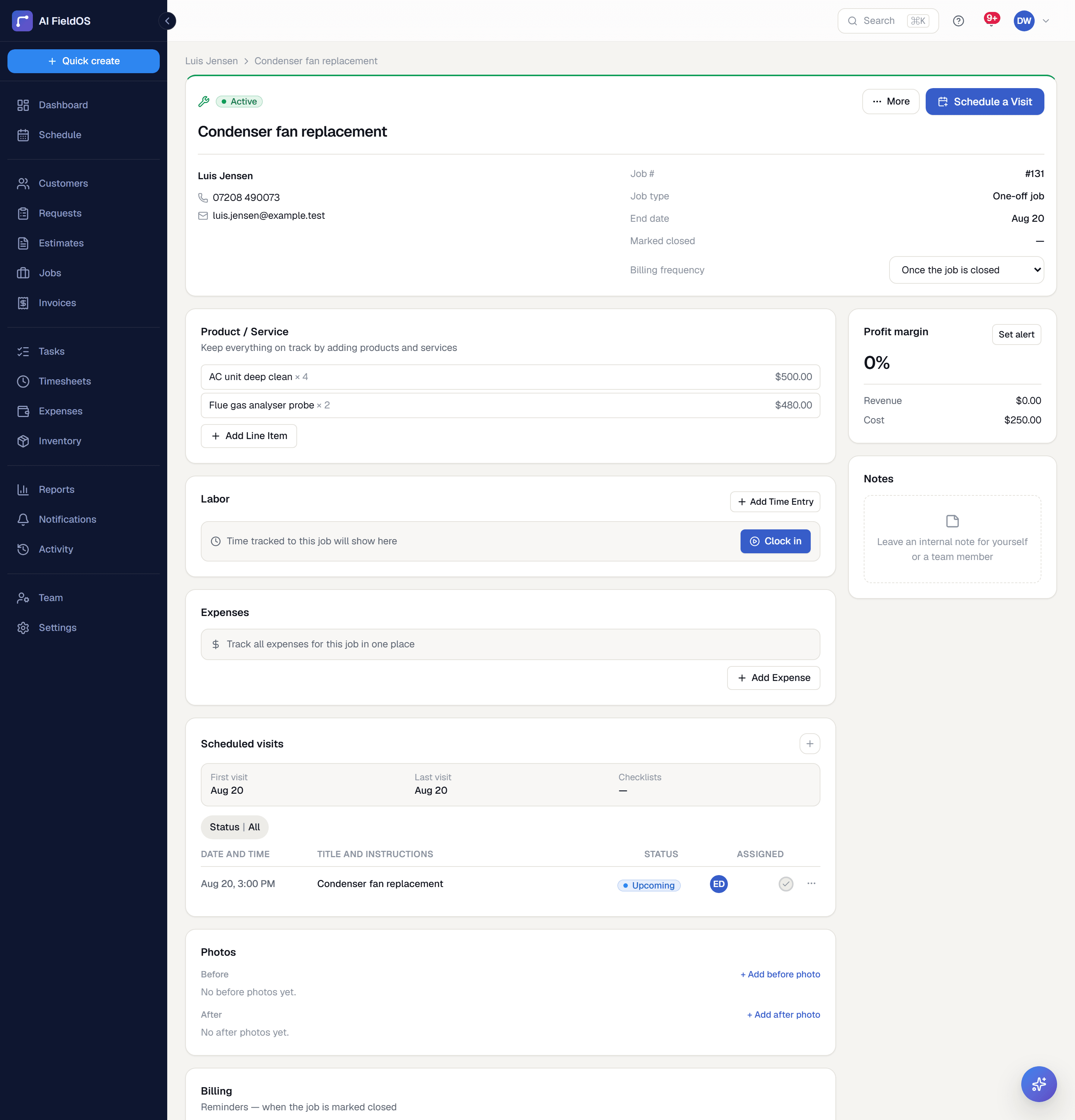
Statuses, line items, notes, attachments, and a full activity timeline on a single page — with recurring work that generates itself on a real schedule rather than waiting for you to remember.
What you get from job management
One record, not five screens
Description, internal notes, checklist, custom fields, labour and materials line items, attachments, and the activity timeline all live on the job's own detail page.
Recurring work that runs itself
Weekly, biweekly, or monthly jobs generate their next occurrence on an hourly background schedule with lead time — not only once you've marked the current one done.
A workflow view that flags what's slipping
The Jobs page leads with what's ending soon, what's late, what's done but not invoiced, what needs attention, and what's still unscheduled — the five buckets that actually cost money.
Three steps, start to finish
Create the job against a customer, with line items pulled from your price book or typed in.
Schedule its visits, assign technicians, and attach a checklist if the work has a standard routine.
Mark it done, then generate the invoice straight from its own line items.
Straight answer
What this doesn't do
Every limit below was checked against the code. We'd rather you find them here than three weeks after migrating.
- A job is assigned to one technician at a time. There's no multi-tech crew assignment on a single visit.
- There's no bulk importer for historical jobs — only customers can be imported from CSV.
Common questions
Yes — any job can be duplicated as a template, carrying its line items and checklist structure into a fresh job.
Ready to run your business on it?
Start a 14-day trial today. No credit card, no sales call, no implementation project.
14 days free · No credit card required · Cancel anytime