Feature · Inventory
Know what's on the truck before it runs out.
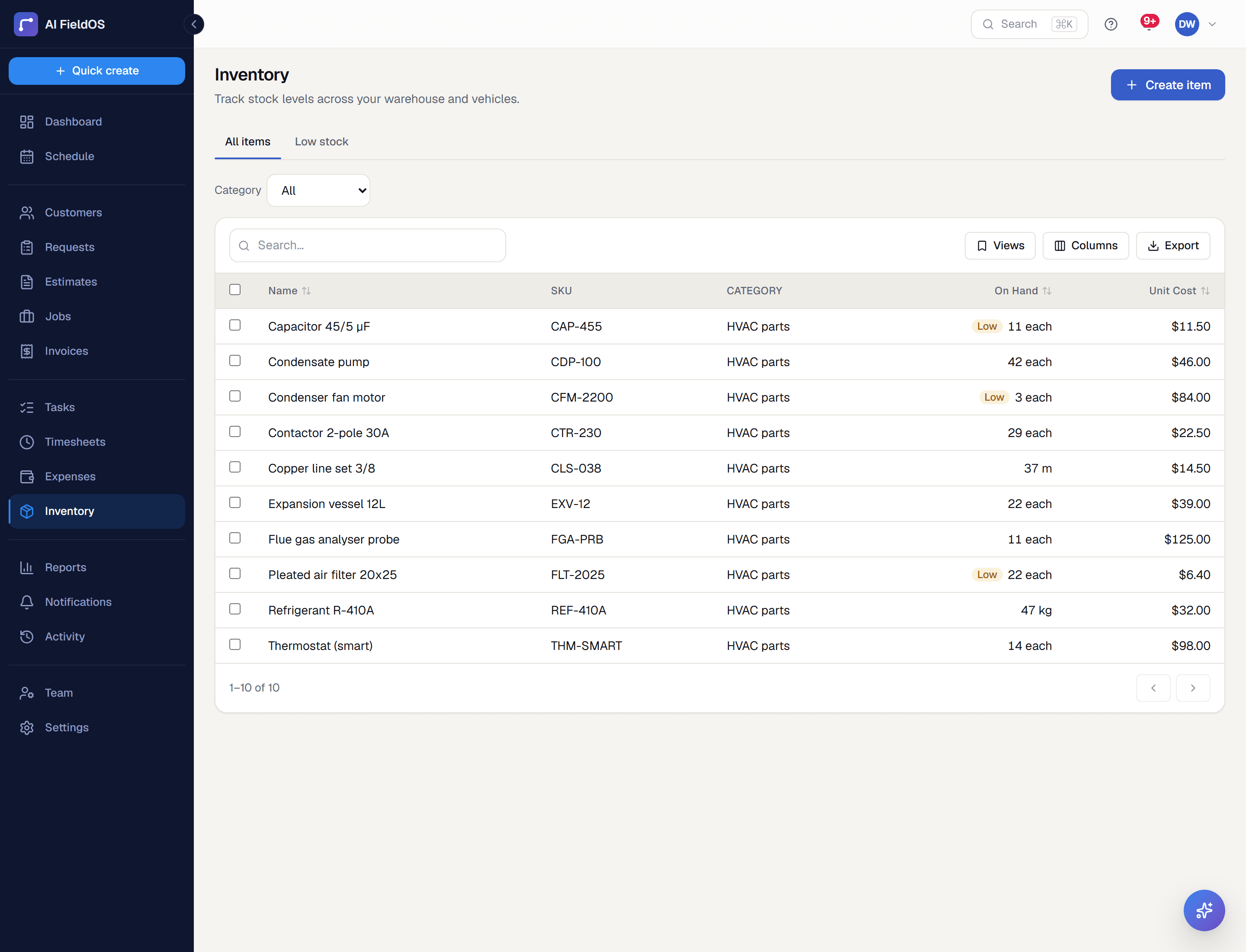
Track parts and materials on hand, get a low-stock flag before you're caught without something you need, and let completing a job automatically deduct what was used.
What you get from inventory
Reorder thresholds that actually flag
Set a reorder point per item; the low-stock list and AI assistant both surface it before you run out, not after.
Auto-deduct on job completion
Turn on automatic deduction and completing a job with materials line items linked to your catalog updates quantity on hand for you — no separate stock-take step.
One price book for the whole team
Products & Services entries carry a default price so every estimate, invoice, and job pulls from the same catalog instead of everyone typing prices from memory.
Three steps, start to finish
Add your parts and materials to the catalog, with quantity on hand and a reorder threshold.
Link job/estimate line items to catalog entries instead of typing them from scratch.
Turn on auto-deduct so completing a job keeps quantity on hand accurate automatically.
Straight answer
What this doesn't do
Every limit below was checked against the code. We'd rather you find them here than three weeks after migrating.
- Single stock location — no multi-warehouse or per-truck stock separation.
- No purchase orders or supplier management.
- No barcode scanning.
Common questions
No — inventory tracking is entirely optional and can be turned on per item or skipped altogether.
Ready to run your business on it?
Start a 14-day trial today. No credit card, no sales call, no implementation project.
14 days free · No credit card required · Cancel anytime